How to Choose the Right Microsoft Tool
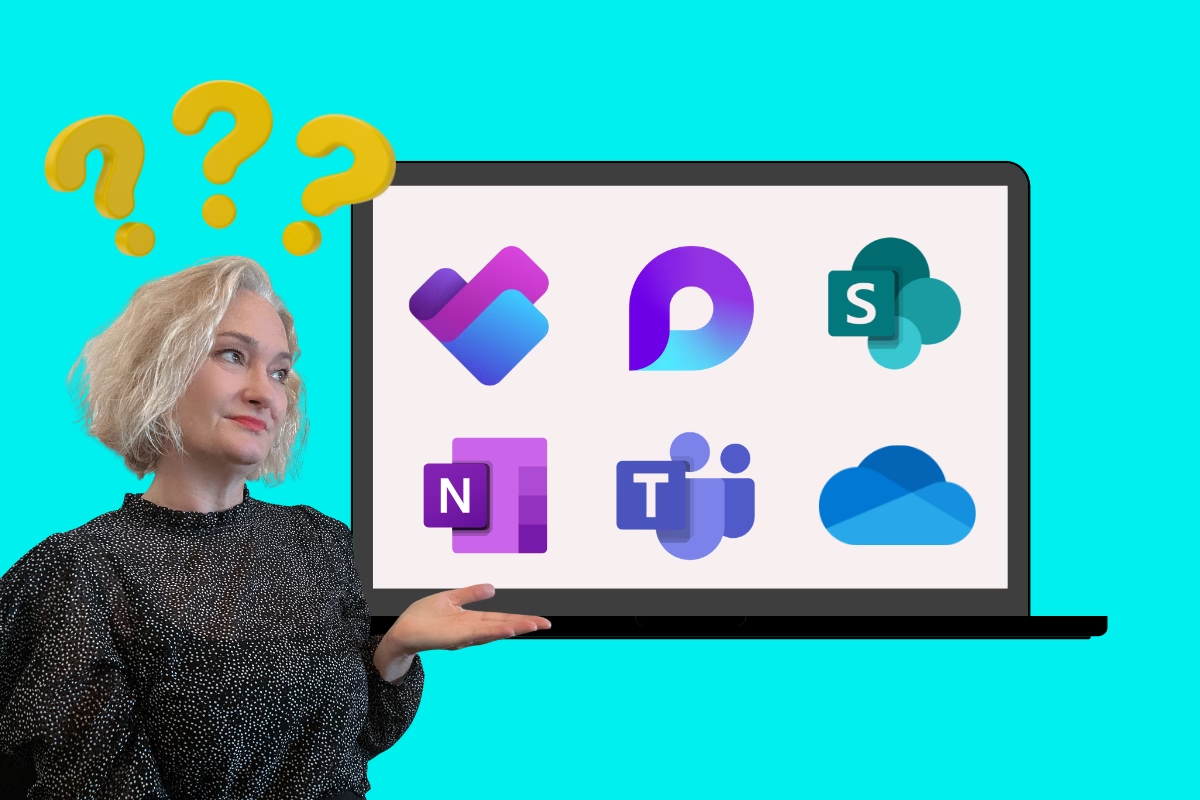
A Practical Guide to Ending Decision Paralysis
How to navigate the overwhelming world of Microsoft 365 tools and choose the right one for every workplace scenario.
<!-- /wp:html --> <!-- wp:heading --> <h2 class="wp-block-heading" id="h-introduction-the-hidden-cost-of-too-many-choices">Introduction: The Hidden Cost of Too Many Choices</h2> <!-- /wp:heading --> <!-- wp:paragraph --> <p class=""><strong>Picture this: </strong>It's Monday morning, you're energised about a new project and you're ready to dive in. But first, you need to decide where to create your workspace. Should it be a Teams channel? A SharePoint site? Maybe a Loop workspace? Or perhaps you should start with OneDrive and figure it out later?</p> <!-- /wp:paragraph --> <!-- wp:paragraph --> <p class="">Fifteen minutes later, you're still staring at your screen, paralysed by options. Sound familiar?</p> <!-- /wp:paragraph --> <!-- wp:paragraph --> <p class="">If you've ever felt overwhelmed by the sheer number of tools in Microsoft 365, you're not alone. What should be a productivity powerhouse often becomes a source of frustration, confusion and decision fatigue. The very abundance that makes Microsoft 365 powerful also makes it overwhelming.</p> <!-- /wp:paragraph --> <!-- wp:paragraph --> <p class="">This isn't just a minor inconvenience. Organisations worldwide are paying what I call "The Tool Selection Tax" – the hidden productivity drain that occurs when employees spend more time choosing tools than using them effectively. Recent community discussions reveal that tool confusion is one of the top complaints among Microsoft 365 users, with many expressing frustration at the lack of clear guidance on when to use which tool.</p> <!-- /wp:paragraph --> <!-- wp:paragraph --> <p class="">In this blog post, we'll cut through the confusion and provide you with a practical guide with some real workplace scenarios and actionable strategies to master Microsoft 365 tool selection. By the end, you'll have a clear decision-making process that eliminates paralysis and maximises productivity.</p> <!-- /wp:paragraph --> <!-- wp:heading --> <h2 class="wp-block-heading" id="h-the-anatomy-of-microsoft-365-confusion">The Anatomy of Microsoft 365 Confusion</h2> <!-- /wp:heading --> <!-- wp:heading {"level":3} --> <h3 class="wp-block-heading" id="h-the-abundance-paradox">The Abundance Paradox</h3> <!-- /wp:heading --> <!-- wp:paragraph --> <p class="">Microsoft 365's strength is also its weakness. The platform offers an impressive array of tools: SharePoint for content management, OneDrive for personal storage, Teams for collaboration, Loop for dynamic content, Planner for task management, OneNote for note-taking and many more. Each tool is powerful in its own right, but together they create what psychologists call "choice overload."</p> <!-- /wp:paragraph --> <!-- wp:paragraph --> <p class="">Research in behavioral psychology has consistently shown that while some choice is better than none, too many options lead to decision paralysis, decreased satisfaction and increased regret. This phenomenon is playing out in organisations everywhere as employees struggle to navigate the Microsoft 365 ecosystem.</p> <!-- /wp:paragraph --> <!-- wp:heading {"level":3} --> <h3 class="wp-block-heading" id="h-the-integration-illusion">The Integration Illusion</h3> <!-- /wp:heading --> <!-- wp:paragraph --> <p class="">Microsoft markets these tools as seamlessly integrated and to their credit, they do work together remarkably well. However, this integration creates its own confusion. When tools can share data and functionality, the boundaries between them become blurred. Users often don't understand where their files are actually stored, how permissions work across different tools, or why they might choose one collaboration method over another.</p> <!-- /wp:paragraph --> <!-- wp:paragraph --> <p class="">Consider this common scenario: A user creates a document in Teams, which is actually stored in SharePoint, but they access it through OneDrive sync and they share it via Outlook. While this integration is technically impressive, it's conceptually confusing for users who just want to get work done.</p> <!-- /wp:paragraph --> <!-- wp:heading {"level":3} --> <h3 class="wp-block-heading" id="h-the-feature-overlap-problem">The Feature Overlap Problem</h3> <!-- /wp:heading --> <!-- wp:paragraph --> <p class="">Many Microsoft 365 tools have evolved to include similar capabilities, creating significant overlap in functionality. Teams can store files, but so can SharePoint and OneDrive. OneNote can handle project documentation, but so can Loop and SharePoint pages. Planner manages tasks, but so do To Do and Loop components.</p> <!-- /wp:paragraph --> <!-- wp:paragraph --> <p class="">This overlap isn't accidental – it reflects the reality that different tools approach similar problems from different angles. However, without clear guidance on when to use which approach, users often make arbitrary decisions or, worse, try to use multiple tools for the same purpose, creating fragmentation and confusion.</p> <!-- /wp:paragraph --> <!-- wp:heading {"level":3} --> <h3 class="wp-block-heading" id="h-the-guidance-gap">The Guidance Gap</h3> <!-- /wp:heading --> <!-- wp:paragraph --> <p class="">Perhaps the most significant issue is the lack of practical guidance on tool selection. Most organisations provide training on how to use individual tools but offer little guidance on when to use each tool. It's like teaching someone to use a hammer, screwdriver and saw without explaining when to use which one.</p> <!-- /wp:paragraph --> <!-- wp:paragraph --> <p class="">This guidance gap is particularly problematic because tool selection decisions have long-term consequences. Choose the wrong platform for a project and you might find yourself migrating content, retraining users, or maintaining multiple systems for the same purpose.</p> <!-- /wp:paragraph --> <!-- wp:heading --> <h2 class="wp-block-heading" id="h-understanding-the-microsoft-365-ecosystem">Understanding the Microsoft 365 Ecosystem</h2> <!-- /wp:heading --> <!-- wp:paragraph --> <p class="">Before diving into decision frameworks, it's crucial to understand how Microsoft 365 tools relate to each other and what each tool is optimised for.</p> <!-- /wp:paragraph --> <!-- wp:heading {"level":3} --> <h3 class="wp-block-heading" id="h-the-foundation-layer-sharepoint-and-onedrive">The Foundation Layer: SharePoint and OneDrive</h3> <!-- /wp:heading --> <!-- wp:paragraph --> <p class="">At the foundation of Microsoft 365's file storage and collaboration capabilities are SharePoint and OneDrive. Understanding their relationship is key to making good decisions throughout the ecosystem.</p> <!-- /wp:paragraph --> <!-- wp:paragraph --> <p class="">SharePoint serves as the enterprise content management platform. It's designed for structured information, team collaboration and organisational knowledge management. Every Teams site, every Microsoft 365 Group and every collaborative workspace ultimately relies on SharePoint for file storage and management.</p> <!-- /wp:paragraph --> <!-- wp:paragraph --> <p class="">OneDrive is your personal cloud storage space within the Microsoft 365 ecosystem. It's optimised for individual productivity, file synchronisation across devices and personal file management. While OneDrive can share files and enable collaboration, it's fundamentally designed around individual ownership and control.</p> <!-- /wp:paragraph --> <!-- wp:paragraph --> <p class="">The key insight is that OneDrive is for "your" files, while SharePoint is for "our" files. This distinction becomes crucial when deciding where to store and manage content.</p> <!-- /wp:paragraph --> <!-- wp:heading {"level":3} --> <h3 class="wp-block-heading" id="h-the-collaboration-layer-teams-and-loop">The Collaboration Layer: Teams and Loop</h3> <!-- /wp:heading --> <!-- wp:paragraph --> <p class=""><a href="/microsoft-teams-vs-sharepoint-what-goes-where/">Microsoft Teams </a>serves as the collaboration hub, bringing together chat, meetings, file sharing and app integration in a single interface. Teams is built on top of SharePoint for file storage, but it presents a more dynamic, conversation-driven interface optimised for real-time collaboration.</p> <!-- /wp:paragraph --> <!-- wp:paragraph --> <p class=""><a href="/productivity-with-microsoft-loop/">Microsoft Loop </a>represents a newer approach to collaboration, focusing on portable, dynamic content components that can be shared across multiple Microsoft 365 applications. Loop is designed for flexible, real-time collaboration on specific pieces of content rather than comprehensive project management.</p> <!-- /wp:paragraph --> <!-- wp:paragraph --> <p class="">Teams excels at bringing people together for ongoing collaboration, while Loop excels at creating collaborative content that needs to exist in multiple contexts.</p> <!-- /wp:paragraph --> <!-- wp:heading {"level":3} --> <h3 class="wp-block-heading" id="h-the-organisation-layer-planner-and-onenote">The Organisation Layer: Planner and OneNote</h3> <!-- /wp:heading --> <!-- wp:paragraph --> <p class="">Microsoft Planner provides visual task management with boards, buckets and cards. It's designed for team-based project management where visual organisation and progress tracking are important.</p> <!-- /wp:paragraph --> <!-- wp:paragraph --> <p class="">OneNote offers flexible, digital note-taking with a notebook metaphor. It's designed for capturing, organising and sharing information in a free-form, searchable format.</p> <!-- /wp:paragraph --> <!-- wp:paragraph --> <p class="">Planner is optimised for structured task management, while OneNote is optimised for unstructured information capture and organisation.</p> <!-- /wp:paragraph --> <!-- wp:heading --> <h2 class="wp-block-heading" id="h-the-microsoft-365-decision-framework">The Microsoft 365 Decision Framework</h2> <!-- /wp:heading --> <!-- wp:paragraph --> <p class="">Now that we understand the ecosystem, let's establish a practical framework for making tool selection decisions. This framework is based on three fundamental questions that will guide you to the right tool for any situation.</p> <!-- /wp:paragraph --> <!-- wp:heading {"level":3} --> <h3 class="wp-block-heading" id="h-question-1-what-s-the-scope-of-collaboration">Question 1: What's the Scope of Collaboration?</h3> <!-- /wp:heading --> <!-- wp:paragraph --> <p class="">The first question to ask is about the scope of your collaboration needs:</p> <!-- /wp:paragraph --> <!-- wp:paragraph --> <p class=""><strong>Individual Work:</strong> If you're working alone on drafts, personal notes, or individual tasks, your primary tools should be OneDrive for files, OneNote for notes and To Do for tasks. These tools are optimised for individual productivity and provide the control and privacy you need for personal work.</p> <!-- /wp:paragraph --> <!-- wp:paragraph --> <p class=""><strong>Small Team Collaboration:</strong> For projects involving 2-10 people working closely together, Teams becomes your collaboration hub. Teams provides the real-time communication, file sharing and app integration needed for tight-knit team collaboration.</p> <!-- /wp:paragraph --> <!-- wp:paragraph --> <p class=""><strong>Organisational Collaboration:</strong> For larger initiatives, cross-functional projects, or anything that needs to serve multiple teams or persist beyond a specific project, SharePoint provides the structure, permissions and organisational capabilities you need.</p> <!-- /wp:paragraph --> <!-- wp:paragraph --> <p class=""><strong>Cross-Platform Collaboration: </strong>When you need content that appears in multiple contexts or applications, Loop provides the portable, synchronised components that can exist across the Microsoft 365 ecosystem.</p> <!-- /wp:paragraph --> <!-- wp:heading {"level":3} --> <h3 class="wp-block-heading" id="h-question-2-what-s-the-nature-of-the-work">Question 2: What's the Nature of the Work?</h3> <!-- /wp:heading --> <!-- wp:paragraph --> <p class="">The second question focuses on the type of work you're doing:</p> <!-- /wp:paragraph --> <!-- wp:paragraph --> <p class=""><strong>Content Creation:</strong> For creating documents, presentations, or other content, start with OneDrive for individual drafts, move to Teams for collaborative editing and use SharePoint for final storage and broader access.</p> <!-- /wp:paragraph --> <!-- wp:paragraph --> <p class=""><strong>Task Management:</strong> For personal tasks, use To Do and for team project management with visual organisation, use Planner. </p> <!-- /wp:paragraph --> <!-- wp:paragraph --> <p class=""><strong>Information Organisation</strong>: For personal knowledge management and note-taking, use OneNote. For team knowledge bases and structured information, use SharePoint. For dynamic information that needs to stay current across multiple locations, use Loop.</p> <!-- /wp:paragraph --> <!-- wp:paragraph --> <p class=""><strong>Real-Time Collaboration:</strong> For meetings, brainstorming and synchronous work, use Teams. For asynchronous collaboration on specific content pieces, use Loop. For structured, long-term collaboration, use SharePoint.</p> <!-- /wp:paragraph --> <!-- wp:heading {"level":3} --> <h3 class="wp-block-heading" id="h-question-3-what-s-the-timeline-and-structure">Question 3: What's the Timeline and Structure?</h3> <!-- /wp:heading --> <!-- wp:paragraph --> <p class="">The third question considers the temporal and structural aspects of your work:</p> <!-- /wp:paragraph --> <!-- wp:paragraph --> <p class=""><strong>Temporary Projects:</strong> For short-term initiatives with clear end dates, Teams provides the right level of structure and collaboration without over-engineering the solution.</p> <!-- /wp:paragraph --> <!-- wp:paragraph --> <p class=""><strong>Ongoing Processes:</strong> For recurring work, established teams, or ongoing operations, SharePoint provides the structure and permanence needed for long-term success.</p> <!-- /wp:paragraph --> <!-- wp:paragraph --> <p class=""><strong>Dynamic Content: </strong>For information that changes frequently and needs to stay synchronised across multiple locations, Loop provides the real-time updates and portability you need.</p> <!-- /wp:paragraph --> <!-- wp:paragraph --> <p class=""><strong>Personal Productivity:</strong> For individual work that may or may not become collaborative, start with OneDrive and personal productivity tools, then move to collaborative tools when needed.</p> <!-- /wp:paragraph --> <!-- wp:heading --> <h2 class="wp-block-heading" id="h-real-world-workplace-scenarios">Real-World Workplace Scenarios</h2> <!-- /wp:heading --> <!-- wp:paragraph --> <p class="">Let's apply this framework to common workplace scenarios to see how it works in practice.</p> <!-- /wp:paragraph --> <!-- wp:heading {"level":3} --> <h3 class="wp-block-heading" id="h-scenario-1-launching-a-new-product">Scenario 1: Launching a New Product</h3> <!-- /wp:heading --> <!-- wp:paragraph --> <p class=""><strong>Situation</strong>: You're leading a cross-functional team to launch a new product. The project involves marketing, engineering, sale and support teams, will last six months and needs to coordinate multiple workstreams.</p> <!-- /wp:paragraph --> <!-- wp:paragraph --> <p class=""><strong>Decision Process:</strong></p> <!-- /wp:paragraph --> <!-- wp:paragraph --> <p class="">•<strong>Scope</strong>: Organisational collaboration (multiple teams, cross-functional)</p> <!-- /wp:paragraph --> <!-- wp:paragraph --> <p class="">•<strong>Nature</strong>: Complex project management with multiple content types</p> <!-- /wp:paragraph --> <!-- wp:paragraph --> <p class="">•<strong>Timeline</strong>: Medium-term project with long-term implications</p> <!-- /wp:paragraph --> <!-- wp:paragraph --> <p class=""><strong>Recommended Approach</strong></p> <!-- /wp:paragraph --> <!-- wp:list --> <ul class="wp-block-list"><!-- wp:list-item --> <li class="">Start with a SharePoint site as your project foundation. This provides document libraries for different content types, custom permissions for different stakeholders, and the structure needed for a complex, multi-team initiative.</li> <!-- /wp:list-item --> <!-- wp:list-item --> <li class="">Create Teams channels for each major workstream (marketing, engineering, sales, support) that connect to the SharePoint site. This gives each team their own collaboration space while maintaining connection to the central project hub.</li> <!-- /wp:list-item --> <!-- wp:list-item --> <li class="">Use Planner for high-level project task management and milestone tracking. Create separate Planner boards for each workstream if needed, but maintain a master board for overall project coordination.</li> <!-- /wp:list-item --> <!-- wp:list-item --> <li class="">Use <a href="/ways-i-have-streamlined-project-management-with-loop/">Loop for dynamic content </a>that needs to appear in multiple places, such as project status updates, key metrics dashboards, or decision logs that multiple teams need to reference and update.</li> <!-- /wp:list-item --></ul> <!-- /wp:list --> <!-- wp:paragraph --> <p class=""><strong>Why This Works</strong></p> <!-- /wp:paragraph --> <!-- wp:paragraph --> <p class="">SharePoint provides the structural foundation and long-term organization. Teams enables dynamic collaboration within workstreams. Planner offers visual project management. Loop keeps key information synchronized across all platforms.</p> <!-- /wp:paragraph --> <!-- wp:heading {"level":3} --> <h3 class="wp-block-heading" id="h-scenario-2-managing-weekly-team-meetings">Scenario 2: Managing Weekly Team Meetings</h3> <!-- /wp:heading --> <!-- wp:paragraph --> <p class=""><strong>Situation</strong>: You run weekly team meetings for a 8-person department. You need to manage agendas, capture notes, track action items, and maintain historical records.</p> <!-- /wp:paragraph --> <!-- wp:paragraph --> <p class=""><strong>Decision Process:</strong></p> <!-- /wp:paragraph --> <!-- wp:paragraph --> <p class="">•<strong>Scope</strong>: Small team collaboration (consistent group, regular interaction)</p> <!-- /wp:paragraph --> <!-- wp:paragraph --> <p class="">•<strong>Nature</strong>: Recurring process with structured information needs</p> <!-- /wp:paragraph --> <!-- wp:paragraph --> <p class="">•<strong>Timeline</strong>: Ongoing process with historical value</p> <!-- /wp:paragraph --> <!-- wp:paragraph --> <p class=""><strong>Recommended Approach</strong></p> <!-- /wp:paragraph --> <!-- wp:list --> <ul class="wp-block-list"><!-- wp:list-item --> <li class="">Create a Teams channel dedicated to team meetings. This provides a persistent space for meeting-related conversations and file sharing.</li> <!-- /wp:list-item --> <!-- wp:list-item --> <li class="">Use Loop for meeting agendas. Create a Loop page template for your standard agenda format, then create a new agenda for each meeting. Share the agenda in Teams chat, email invitations, and any other relevant locations. The agenda stays synchronized everywhere and team members can contribute items in real-time.</li> <!-- /wp:list-item --> <!-- wp:list-item --> <li class="">Use OneNote for detailed meeting notes. Create a section in your team's OneNote notebook specifically for meeting notes, with a page for each meeting. OneNote's free-form format is perfect for capturing discussions, decisions, and detailed information.</li> <!-- /wp:list-item --> <!-- wp:list-item --> <li class="">Use Planner for action items and store meeting recordings and formal documents in the Teams channel files, which are automatically organised and accessible to all team members.</li> <!-- /wp:list-item --></ul> <!-- /wp:list --> <!-- wp:paragraph --> <p class=""><strong>Why This Works</strong></p> <!-- /wp:paragraph --> <!-- wp:paragraph --> <p class="">Teams provides the collaboration hub. Loop keeps agendas dynamic and synchronized. OneNote captures detailed information in a searchable format. Task management tools ensure follow-through. Everything is connected but serves its specific purpose.</p> <!-- /wp:paragraph --> <!-- wp:heading {"level":3} --> <h3 class="wp-block-heading" id="h-scenario-3-creating-a-company-knowledge-base">Scenario 3: Creating a Company Knowledge Base</h3> <!-- /wp:heading --> <!-- wp:paragraph --> <p class=""><strong>Situation</strong>: Your organisation needs to create and maintain a comprehensive knowledge base that includes policies, procedures, best practices, and reference materials. Multiple departments will contribute content, and the knowledge base needs to be searchable and well-organized.</p> <!-- /wp:paragraph --> <!-- wp:paragraph --> <p class=""><strong>Decision Process:</strong></p> <!-- /wp:paragraph --> <!-- wp:paragraph --> <p class="">•<strong>Scope</strong>: Organisational collaboration (multiple contributors, broad audience)</p> <!-- /wp:paragraph --> <!-- wp:paragraph --> <p class="">•<strong>Nature</strong>: Information organisation and knowledge management</p> <!-- /wp:paragraph --> <!-- wp:paragraph --> <p class="">•<strong>Timeline</strong>: Long-term, permanent resource</p> <!-- /wp:paragraph --> <!-- wp:paragraph --> <p class=""><strong>Recommended Approach</strong></p> <!-- /wp:paragraph --> <!-- wp:list --> <ul class="wp-block-list"><!-- wp:list-item --> <li class="">Build the knowledge base on SharePoint using a communication site or hub site structure. SharePoint's content management capabilities, search functionality, and permission controls make it ideal for organisational knowledge management.</li> <!-- /wp:list-item --> <!-- wp:list-item --> <li class="">Create a clear information architecture with document libraries for different content types, metadata for categorisation and filtering, and page layouts optimised for knowledge consumption.</li> <!-- /wp:list-item --> <!-- wp:list-item --> <li class="">Use Teams for knowledge creation and review processes. Create temporary Teams channels for major knowledge base projects, allowing subject matter experts to collaborate on content development.</li> <!-- /wp:list-item --> <!-- wp:list-item --> <li class="">Use Loop for dynamic content that appears in multiple knowledge base articles, such as contact information, process status updates, or frequently changing reference data.</li> <!-- /wp:list-item --> <!-- wp:list-item --> <li class="">Use OneNote for informal knowledge capture and research that may eventually be formalized into knowledge base articles.</li> <!-- /wp:list-item --> <!-- wp:list-item --> <li class="">Implement a governance process that defines content ownership, review cycles, and update responsibilities.</li> <!-- /wp:list-item --></ul> <!-- /wp:list --> <!-- wp:paragraph --> <p class=""><strong>Why This Works</strong></p> <!-- /wp:paragraph --> <!-- wp:paragraph --> <p class="">SharePoint provides enterprise-grade content management and search. Teams enables collaborative content creation. Loop keeps dynamic information current across multiple articles. OneNote captures informal knowledge that can be refined over time.</p> <!-- /wp:paragraph --> <!-- wp:heading {"level":3} --> <h3 class="wp-block-heading" id="h-scenario-4-personal-productivity-and-task-management">Scenario 4: Personal Productivity and Task Management</h3> <!-- /wp:heading --> <!-- wp:paragraph --> <p class=""><strong>Situation</strong>: You're an individual contributor who needs to manage personal tasks, organize research and notes, collaborate occasionally with colleagues, and maintain personal productivity systems.</p> <!-- /wp:paragraph --> <!-- wp:paragraph --> <p class=""><strong>Decision Process:</strong></p> <!-- /wp:paragraph --> <!-- wp:paragraph --> <p class="">•<strong>Scope</strong>: Individual work with occasional collaboration</p> <!-- /wp:paragraph --> <!-- wp:paragraph --> <p class="">•<strong>Nature</strong>: Personal productivity and information management</p> <!-- /wp:paragraph --> <!-- wp:paragraph --> <p class="">•<strong>Timeline</strong>: Ongoing personal system</p> <!-- /wp:paragraph --> <!-- wp:paragraph --> <p class=""><strong>Recommended Approach</strong></p> <!-- /wp:paragraph --> <!-- wp:list --> <ul class="wp-block-list"><!-- wp:list-item --> <li class="">Use OneDrive as your primary file storage for personal documents, drafts, and work-in-progress files. OneDrive's synchronisation and personal control make it perfect for individual productivity.</li> <!-- /wp:list-item --> <!-- wp:list-item --> <li class="">Use To Do for personal task management. Organise tasks by project, priority, or context using To Do's lists and categories. Integrate with Outlook for email-based task creation.</li> <!-- /wp:list-item --> <!-- wp:list-item --> <li class="">Use OneNote for personal knowledge management, research, meeting notes, and information capture. Create a personal notebook structure that reflects your work and interests.</li> <!-- /wp:list-item --> <!-- wp:list-item --> <li class="">When collaboration is needed, share specific files from OneDrive or create Teams channels for project-based collaboration. Move collaborative documents to Teams or SharePoint when they become truly collaborative rather than just shared.</li> <!-- /wp:list-item --> <!-- wp:list-item --> <li class="">Use Loop for content that you create but that needs to appear in team contexts, such as status updates, project contributions, or collaborative planning documents.</li> <!-- /wp:list-item --></ul> <!-- /wp:list --> <!-- wp:paragraph --> <p class=""><strong>Why This Works</strong></p> <!-- /wp:paragraph --> <!-- wp:paragraph --> <p class="">Personal tools (OneDrive, To Do, OneNote) provide individual control and productivity. Collaborative tools are used strategically when true collaboration is needed. The system scales from individual work to team collaboration as needed.</p> <!-- /wp:paragraph --> <!-- wp:heading {"level":3} --> <h3 class="wp-block-heading" id="h-scenario-5-event-planning-and-coordination">Scenario 5: Event Planning and Coordination</h3> <!-- /wp:heading --> <!-- wp:paragraph --> <p class=""><strong>Situation</strong>: You're organising a company conference that involves multiple vendors, internal teams, complex logistics, and tight deadlines. The project has a clear end date but requires intensive coordination during the planning phase.</p> <!-- /wp:paragraph --> <!-- wp:paragraph --> <p class=""><strong>Decision Process:</strong></p> <!-- /wp:paragraph --> <!-- wp:paragraph --> <p class="">•<strong>Scope</strong>: Organisational collaboration (multiple internal and external stakeholders)</p> <!-- /wp:paragraph --> <!-- wp:paragraph --> <p class="">•<strong>Nature</strong>: Complex project with diverse content types and coordination needs</p> <!-- /wp:paragraph --> <!-- wp:paragraph --> <p class="">•<strong>Timeline</strong>: Temporary project with intensive collaboration phase</p> <!-- /wp:paragraph --> <!-- wp:paragraph --> <p class=""><strong>Recommended Approach</strong></p> <!-- /wp:paragraph --> <!-- wp:list --> <ul class="wp-block-list"><!-- wp:list-item --> <li class="">Create a SharePoint site for the event as your central hub. Use document libraries for different content types (vendor contracts, marketing materials, logistics plans) and create custom lists for tracking vendors, attendees, and tasks.</li> <!-- /wp:list-item --> <!-- wp:list-item --> <li class="">Create a Teams channel for the core planning team to enable real-time communication and quick decision-making. Connect this to the SharePoint site for seamless file access.</li> <!-- /wp:list-item --> <!-- wp:list-item --> <li class="">Use Planner for visual project management with boards for different aspects of the event (venue, catering, speakers, marketing, logistics). The visual nature of Planner is particularly helpful for complex projects with many moving parts.</li> <!-- /wp:list-item --> <!-- wp:list-item --> <li class="">Use Loop for dynamic content that multiple stakeholders need to access and update, such as event timelines, speaker information, or logistics checklists that appear in multiple documents and communications.</li> <!-- /wp:list-item --> <!-- wp:list-item --> <li class="">Create additional Teams channels or SharePoint subsites for specific workstreams if the project becomes large enough to warrant separate collaboration spaces.</li> <!-- /wp:list-item --> <!-- wp:list-item --> <li class="">Use OneNote for meeting notes, research, and informal information capture during the planning process.</li> <!-- /wp:list-item --></ul> <!-- /wp:list --> <!-- wp:paragraph --> <p class=""><strong>Why This Works</strong></p> <!-- /wp:paragraph --> <!-- wp:paragraph --> <p class="">SharePoint provides structure and stakeholder management. Teams enables rapid communication and decision-making. Planner offers visual project coordination. Loop keeps key information synchronised across all communications. The system provides both structure and flexibility for a complex, time-bound project.</p> <!-- /wp:paragraph --> <!-- wp:heading --> <h2 class="wp-block-heading" id="h-advanced-integration-strategies">Advanced Integration Strategies</h2> <!-- /wp:heading --> <!-- wp:paragraph --> <p class="">Once you understand the basic decision framework, you can implement more sophisticated integration strategies that leverage the connections between Microsoft 365 tools.</p> <!-- /wp:paragraph --> <!-- wp:heading {"level":3} --> <h3 class="wp-block-heading" id="h-the-hub-and-spoke-model">The Hub and Spoke Model</h3> <!-- /wp:heading --> <!-- wp:paragraph --> <p class="">For complex organisations or projects, consider implementing a "hub and spoke" model where SharePoint serves as the central hub and other tools serve as specialised spokes for specific functions.</p> <!-- /wp:paragraph --> <!-- wp:paragraph --> <p class="">In this model, SharePoint contains the authoritative information, document libraries and overall project structure. Teams channels, Planner boards and Loop workspaces connect to this central hub but serve specific collaboration or functional needs.</p> <!-- /wp:paragraph --> <!-- wp:paragraph --> <p class="">This approach provides the benefits of centralised organisation while enabling specialised collaboration in the most appropriate tools.</p> <!-- /wp:paragraph --> <!-- wp:heading {"level":3} --> <h3 class="wp-block-heading" id="h-the-progressive-collaboration-model">The Progressive Collaboration Model</h3> <!-- /wp:heading --> <!-- wp:paragraph --> <p class="">For projects that evolve from individual work to team collaboration to organisational resources, implement a progressive model that moves content through different tools as collaboration needs change.</p> <!-- /wp:paragraph --> <!-- wp:paragraph --> <p class="">Start with individual tools (OneDrive, OneNote, To Do) for initial work and planning. Move to team tools (Teams, Planner, Loop) when collaboration begins. Transition to organizational tools (SharePoint, formal processes) when the work becomes a permanent organizational resource.</p> <!-- /wp:paragraph --> <!-- wp:paragraph --> <p class="">This model recognises that collaboration needs change over time and provides a clear path for scaling from individual work to organisational resources.</p> <!-- /wp:paragraph --> <!-- wp:heading {"level":3} --> <h3 class="wp-block-heading" id="h-the-content-lifecycle-approach">The Content Lifecycle Approach</h3> <!-- /wp:heading --> <!-- wp:paragraph --> <p class="">Different types of content have different lifecycles and collaboration needs. Implement strategies that match tools to content lifecycle stages:</p> <!-- /wp:paragraph --> <!-- wp:paragraph --> <p class=""><strong>Creation Stage:</strong> Use individual tools (OneDrive, OneNote) for initial content creation and development.</p> <!-- /wp:paragraph --> <!-- wp:paragraph --> <p class=""><strong>Collaboration Stage:</strong> Move to team tools (Teams, Loop) for active collaboration and refinement.</p> <!-- /wp:paragraph --> <!-- wp:paragraph --> <p class=""><strong>Publication Stage</strong>: Use organisational tools (SharePoint, formal communication channels) for final publication and broad access.</p> <!-- /wp:paragraph --> <!-- wp:paragraph --> <p class=""><strong>Archive Stage:</strong> Maintain content in SharePoint with appropriate retention and access policies.</p> <!-- /wp:paragraph --> <!-- wp:paragraph --> <p class="">This approach ensures that content is always in the most appropriate tool for its current lifecycle stage.</p> <!-- /wp:paragraph --> <!-- wp:heading --> <h2 class="wp-block-heading" id="h-implementation-best-practices">Implementation Best Practices</h2> <!-- /wp:heading --> <!-- wp:paragraph --> <p class="">Successfully implementing a Microsoft 365 tool strategy requires more than just understanding which tool to use when. It requires organisational change management, user training, and ongoing governance.</p> <!-- /wp:paragraph --> <!-- wp:heading {"level":3} --> <h3 class="wp-block-heading" id="h-start-with-team-agreements">Start with Team Agreements</h3> <!-- /wp:heading --> <!-- wp:paragraph --> <p class="">Before implementing any technical solutions, establish clear team agreements about tool usage. These agreements should specify:</p> <!-- /wp:paragraph --> <!-- wp:list --> <ul class="wp-block-list"><!-- wp:list-item --> <li class="">Which tools will be used for which purposes</li> <!-- /wp:list-item --> <!-- wp:list-item --> <li class="">How content will be organised and named</li> <!-- /wp:list-item --> <!-- wp:list-item --> <li class="">What the escalation path is when the standard approach doesn't fit</li> <!-- /wp:list-item --> <!-- wp:list-item --> <li class="">How decisions will be made about new tools or approaches</li> <!-- /wp:list-item --></ul> <!-- /wp:list --> <!-- wp:paragraph --> <p class="">Document these agreements and make them easily accessible to all team members. Review and update them regularly as your understanding and needs evolve.</p> <!-- /wp:paragraph --> <!-- wp:heading {"level":3} --> <h3 class="wp-block-heading" id="h-implement-gradually">Implement Gradually</h3> <!-- /wp:heading --> <!-- wp:paragraph --> <p class="">Don't try to implement a comprehensive tool strategy all at once. Start with one workflow or use case and implement the decision framework consistently for that scenario. Once the team is comfortable with the approach, expand to additional use cases.</p> <!-- /wp:paragraph --> <!-- wp:paragraph --> <p class="">This gradual approach allows for learning and refinement without overwhelming users or disrupting existing workflows.</p> <!-- /wp:paragraph --> <!-- wp:heading {"level":3} --> <h3 class="wp-block-heading" id="h-provide-decision-focused-training">Provide Decision-Focused Training</h3> <!-- /wp:heading --> <!-- wp:paragraph --> <p class="">Most Microsoft 365 training focuses on how to use individual tools. While this is important, it's equally important to provide training on when to use each tool. Develop training materials and sessions that focus on decision-making scenarios rather than just feature demonstrations.</p> <!-- /wp:paragraph --> <!-- wp:paragraph --> <p class="">Use real workplace scenarios from your organisation to make the training relevant and practical. Encourage questions about tool selection decisions and create forums for ongoing discussion and refinement.</p> <!-- /wp:paragraph --> <!-- wp:heading {"level":3} --> <h3 class="wp-block-heading" id="h-establish-governance-processes">Establish Governance Processes</h3> <!-- /wp:heading --> <!-- wp:paragraph --> <p class="">As your tool strategy matures, establish governance processes that ensure consistency and prevent drift back to chaotic tool usage. These processes should include:</p> <!-- /wp:paragraph --> <!-- wp:list --> <ul class="wp-block-list"><!-- wp:list-item --> <li class="">Regular reviews of tool usage and effectiveness</li> <!-- /wp:list-item --> <!-- wp:list-item --> <li class="">Processes for evaluating new tools or approaches</li> <!-- /wp:list-item --> <!-- wp:list-item --> <li class="">Guidelines for handling exceptions to standard approaches</li> <!-- /wp:list-item --> <!-- wp:list-item --> <li class="">Mechanisms for sharing best practices and lessons learned</li> <!-- /wp:list-item --></ul> <!-- /wp:list --> <!-- wp:paragraph --> <p class="">Governance doesn't need to be heavy-handed, but it should provide structure and consistency for tool selection decisions.</p> <!-- /wp:paragraph --> <!-- wp:heading {"level":3} --> <h3 class="wp-block-heading" id="h-monitor-and-measure-success">Monitor and Measure Success</h3> <!-- /wp:heading --> <!-- wp:paragraph --> <p class="">Implement metrics that help you understand whether your tool strategy is working. These might include:</p> <!-- /wp:paragraph --> <!-- wp:list --> <ul class="wp-block-list"><!-- wp:list-item --> <li class="">Time spent on tool selection decisions</li> <!-- /wp:list-item --> <!-- wp:list-item --> <li class="">User satisfaction with collaboration tools</li> <!-- /wp:list-item --> <!-- wp:list-item --> <li class="">Frequency of tool switching or content migration</li> <!-- /wp:list-item --> <!-- wp:list-item --> <li class="">Effectiveness of collaboration and productivity</li> <!-- /wp:list-item --></ul> <!-- /wp:list --> <!-- wp:paragraph --> <p class="">Use these metrics to refine your approach and demonstrate the value of strategic tool selection.</p> <!-- /wp:paragraph --> <!-- wp:heading --> <h2 class="wp-block-heading" id="h-common-pitfalls-and-how-to-avoid-them">Common Pitfalls and How to Avoid Them</h2> <!-- /wp:heading --> <!-- wp:paragraph --> <p class="">Even with a clear framework, organizations often fall into predictable pitfalls when implementing Microsoft 365 tool strategies.</p> <!-- /wp:paragraph --> <!-- wp:heading {"level":3} --> <h3 class="wp-block-heading" id="h-the-shiny-object-syndrome">The "Shiny Object" Syndrome</h3> <!-- /wp:heading --> <!-- wp:paragraph --> <p class="">New Microsoft 365 features and tools are released regularly, and it's tempting to adopt them immediately. However, adding new tools without considering their fit within your overall strategy often increases confusion rather than improving productivity.</p> <!-- /wp:paragraph --> <!-- wp:paragraph --> <p class=""><strong>Solution</strong>: Establish a process for evaluating new tools that considers how they fit within your existing framework and whether they solve real problems that aren't already addressed.</p> <!-- /wp:paragraph --> <!-- wp:heading {"level":3} --> <h3 class="wp-block-heading" id="h-the-one-size-fits-all-mistake">The "One Size Fits All" Mistake</h3> <!-- /wp:heading --> <!-- wp:paragraph --> <p class="">While consistency is important, trying to force all scenarios into the same tool approach often leads to suboptimal solutions and user frustration.</p> <!-- /wp:paragraph --> <!-- wp:paragraph --> <p class=""><strong>Solution</strong>: Build flexibility into your framework that allows for different approaches based on specific needs while maintaining overall consistency in decision-making principles.</p> <!-- /wp:paragraph --> <!-- wp:heading {"level":3} --> <h3 class="wp-block-heading" id="h-the-set-it-and-forget-it-problem">The "Set It and Forget It" Problem</h3> <!-- /wp:heading --> <!-- wp:paragraph --> <p class="">Tool strategies need to evolve as organisations change, new features are released, and user needs develop. Strategies that aren't regularly reviewed and updated become obsolete and ineffective.</p> <!-- /wp:paragraph --> <!-- wp:paragraph --> <p class=""><strong>Solution</strong>: Schedule regular reviews of your tool strategy and be prepared to make adjustments based on changing needs and capabilities.</p> <!-- /wp:paragraph --> <!-- wp:heading {"level":3} --> <h3 class="wp-block-heading" id="h-the-training-gap-issue">The "Training Gap" Issue</h3> <!-- /wp:heading --> <!-- wp:paragraph --> <p class="">Focusing only on technical training without addressing decision-making skills leaves users unprepared to handle scenarios that don't fit standard patterns.</p> <!-- /wp:paragraph --> <!-- wp:paragraph --> <p class=""><strong>Solution</strong>: Include decision-making frameworks and scenario-based training in your Microsoft 365 education programs.</p> <!-- /wp:paragraph --> <!-- wp:heading --> <h2 class="wp-block-heading" id="h-the-future-of-microsoft-365-tool-selection">The Future of Microsoft 365 Tool Selection</h2> <!-- /wp:heading --> <!-- wp:paragraph --> <p class="">As Microsoft continues to develop and integrate its productivity tools, the landscape will continue to evolve. However, the fundamental principles of strategic tool selection will remain relevant.</p> <!-- /wp:paragraph --> <!-- wp:heading {"level":3} --> <h3 class="wp-block-heading" id="h-emerging-trends">Emerging Trends</h3> <!-- /wp:heading --> <!-- wp:paragraph --> <p class="">Several trends are shaping the future of Microsoft 365 tool selection:</p> <!-- /wp:paragraph --> <!-- wp:paragraph --> <p class=""><strong>AI Integration:</strong> Microsoft is integrating AI capabilities across all its tools, which may change how we think about tool selection as AI assistants help users choose the right tool for each task.</p> <!-- /wp:paragraph --> <!-- wp:paragraph --> <p class=""><strong>Simplified Interfaces: </strong>Microsoft is working to simplify the user experience and reduce confusion through better integration and clearer tool positioning.</p> <!-- /wp:paragraph --> <!-- wp:paragraph --> <p class=""><strong>Industry-Specific Solutions:</strong> Microsoft is developing industry-specific configurations and templates that may provide clearer guidance for tool selection in specific contexts.</p> <!-- /wp:paragraph --> <!-- wp:paragraph --> <p class=""><strong>Enhanced</strong> <strong>Integration</strong>: Continued improvements in tool integration may reduce the importance of tool selection decisions as the boundaries between tools become less relevant.</p> <!-- /wp:paragraph --> <!-- wp:heading --> <h2 class="wp-block-heading" id="h-conclusion-from-chaos-to-clarity">Conclusion: From Chaos to Clarity</h2> <!-- /wp:heading --> <!-- wp:paragraph --> <p class="">Microsoft 365's tool abundance doesn't have to be overwhelming. With a clear decision framework, practical implementation strategies, and ongoing attention to user needs, organisations can transform tool chaos into strategic advantage.</p> <!-- /wp:paragraph --> <!-- wp:paragraph --> <p class="">The key is to remember that the goal isn't to use every tool perfectly – it's to choose the right tool for each job and use it consistently. A simple system used consistently will always outperform a complex system used sporadically.</p> <!-- /wp:paragraph --> <!-- wp:paragraph --> <p class="">By implementing the frameworks and strategies outlined in this guide, you can eliminate decision paralysis, improve collaboration effectiveness and help your team focus on their work rather than their tools.</p> <!-- /wp:paragraph --> <!-- wp:paragraph --> <p class="">The Microsoft 365 ecosystem is powerful, but it requires intentional strategy to unlock its full potential. With the right approach, you can move from tool chaos to productivity clarity, enabling your team to work smarter, not harder.</p> <!-- /wp:paragraph --> <!-- wp:paragraph --> <p class="">Remember: the right tool for the right job, used consistently, beats the perfect tool used sporadically every time.</p> <!-- /wp:paragraph --> <!-- wp:heading --> <h2 class="wp-block-heading" id="h-microsoft-365-tool-selection-guide">Microsoft 365 Tool Selection Guide</h2> <!-- /wp:heading --> <!-- wp:paragraph --> <p class="">Want a copy of my Microsoft 365 Tool Selection Guide? Subscribe to my fortnightly newsletter and it will be available for immediate download.</p> <!-- /wp:paragraph --> <!-- wp:html --> <script src="https://f.convertkit.com/ckjs/ck.5.js"/> <pre><code> <form action="https://app.kit.com/forms/8385793/subscriptions" class="seva-form formkit-form" method="post" data-sv-form="8385793" data-uid="fa3fa487cc" data-format="inline" data-version="5" data-options="{&quot;settings&quot;:{&quot;after_subscribe&quot;:{&quot;action&quot;:&quot;message&quot;,&quot;success_message&quot;:&quot;Success! Now check your email to confirm your subscription.&quot;,&quot;redirect_url&quot;:&quot;&quot;},&quot;analytics&quot;:{&quot;google&quot;:null,&quot;fathom&quot;:null,&quot;facebook&quot;:null,&quot;segment&quot;:null,&quot;pinterest&quot;:null,&quot;sparkloop&quot;:null,&quot;googletagmanager&quot;:null},&quot;modal&quot;:{&quot;trigger&quot;:&quot;timer&quot;,&quot;scroll_percentage&quot;:null,&quot;timer&quot;:5,&quot;devices&quot;:&quot;all&quot;,&quot;show_once_every&quot;:15},&quot;powered_by&quot;:{&quot;show&quot;:false,&quot;url&quot;:&quot;https://kit.com/features/forms?utm_campaign=poweredby&amp;utm_content=form&amp;utm_medium=referral&amp;utm_source=dynamic&quot;},&quot;recaptcha&quot;:{&quot;enabled&quot;:false},&quot;return_visitor&quot;:{&quot;action&quot;:&quot;show&quot;,&quot;custom_content&quot;:&quot;&quot;},&quot;slide_in&quot;:{&quot;display_in&quot;:&quot;bottom_right&quot;,&quot;trigger&quot;:&quot;timer&quot;,&quot;scroll_percentage&quot;:null,&quot;timer&quot;:5,&quot;devices&quot;:&quot;all&quot;,&quot;show_once_every&quot;:15},&quot;sticky_bar&quot;:{&quot;display_in&quot;:&quot;top&quot;,&quot;trigger&quot;:&quot;timer&quot;,&quot;scroll_percentage&quot;:null,&quot;timer&quot;:5,&quot;devices&quot;:&quot;all&quot;,&quot;show_once_every&quot;:15}},&quot;version&quot;:&quot;5&quot;}" min-width="400 500 600 700 800" style="background-color: rgb(255, 255, 255); border-radius: 6px;"><div data-style="full"><div data-element="column" class="formkit-background" style="background-image: url(&quot;https://embed.filekitcdn.com/e/w2gK56Miz1jKucAhMeCZxr/eRSLRZWkRwKGec4h5pUZDf&quot;);"></div><div data-element="column" class="formkit-column"><div class="formkit-header" data-element="header" style="color: rgb(0, 0, 0); font-size: 28px; font-weight: 700;"><h2>Subscribe for the<br>Microsoft 365 Tool Selection Guide</h2></div><ul class="formkit-alert formkit-alert-error" data-element="errors" data-group="alert"></ul><div data-element="fields" class="seva-fields formkit-fields"><div class="formkit-field"><input class="formkit-input" name="email_address" aria-label="Email Address" placeholder="Email Address" required type="email" style="color: rgb(139, 139, 139); border-color: rgb(221, 224, 228); font-weight: 400;"></div><button data-element="submit" class="formkit-submit formkit-submit" style="color: rgb(255, 255, 255); background-color: rgb(255, 0, 120); border-radius: 3px; font-weight: 700;"><div class="formkit-spinner"><div></div><div></div><div></div></div><span class>Send me the guide</span></button></div><div class="formkit-disclaimer" data-element="disclaimer" style="color: rgb(139, 139, 139); font-size: 13px;">We respect your privacy. Unsubscribe at anytime.</div></div></div><style>.formkit-form[data-uid="fa3fa487cc"] *{box-sizing:border-box;}.formkit-form[data-uid="fa3fa487cc"]{-webkit-font-smoothing:antialiased;-moz-osx-font-smoothing:grayscale;}.formkit-form[data-uid="fa3fa487cc"] legend{border:none;font-size:inherit;margin-bottom:10px;padding:0;position:relative;display:table;}.formkit-form[data-uid="fa3fa487cc"] fieldset{border:0;padding:0.01em 0 0 0;margin:0;min-width:0;}.formkit-form[data-uid="fa3fa487cc"] body:not(:-moz-handler-blocked) fieldset{display:table-cell;}.formkit-form[data-uid="fa3fa487cc"] h1,.formkit-form[data-uid="fa3fa487cc"] h2,.formkit-form[data-uid="fa3fa487cc"] h3,.formkit-form[data-uid="fa3fa487cc"] h4,.formkit-form[data-uid="fa3fa487cc"] h5,.formkit-form[data-uid="fa3fa487cc"] h6{color:inherit;font-size:inherit;font-weight:inherit;}.formkit-form[data-uid="fa3fa487cc"] h2{font-size:1.5em;margin:1em 0;}.formkit-form[data-uid="fa3fa487cc"] h3{font-size:1.17em;margin:1em 0;}.formkit-form[data-uid="fa3fa487cc"] p{color:inherit;font-size:inherit;font-weight:inherit;}.formkit-form[data-uid="fa3fa487cc"] ol:not([template-default]),.formkit-form[data-uid="fa3fa487cc"] ul:not([template-default]),.formkit-form[data-uid="fa3fa487cc"] blockquote:not([template-default]){text-align:left;}.formkit-form[data-uid="fa3fa487cc"] p:not([template-default]),.formkit-form[data-uid="fa3fa487cc"] hr:not([template-default]),.formkit-form[data-uid="fa3fa487cc"] blockquote:not([template-default]),.formkit-form[data-uid="fa3fa487cc"] ol:not([template-default]),.formkit-form[data-uid="fa3fa487cc"] ul:not([template-default]){color:inherit;font-style:initial;}.formkit-form[data-uid="fa3fa487cc"] .ordered-list,.formkit-form[data-uid="fa3fa487cc"] .unordered-list{list-style-position:outside !important;padding-left:1em;}.formkit-form[data-uid="fa3fa487cc"] .list-item{padding-left:0;}.formkit-form[data-uid="fa3fa487cc"][data-format="modal"]{display:none;}.formkit-form[data-uid="fa3fa487cc"][data-format="slide in"]{display:none;}.formkit-form[data-uid="fa3fa487cc"][data-format="sticky bar"]{display:none;}.formkit-sticky-bar .formkit-form[data-uid="fa3fa487cc"][data-format="sticky bar"]{display:block;}.formkit-form[data-uid="fa3fa487cc"] .formkit-input,.formkit-form[data-uid="fa3fa487cc"] .formkit-select,.formkit-form[data-uid="fa3fa487cc"] .formkit-checkboxes{width:100%;}.formkit-form[data-uid="fa3fa487cc"] .formkit-button,.formkit-form[data-uid="fa3fa487cc"] .formkit-submit{border:0;border-radius:5px;color:#ffffff;cursor:pointer;display:inline-block;text-align:center;font-size:15px;font-weight:500;cursor:pointer;margin-bottom:15px;overflow:hidden;padding:0;position:relative;vertical-align:middle;}.formkit-form[data-uid="fa3fa487cc"] .formkit-button:hover,.formkit-form[data-uid="fa3fa487cc"] .formkit-submit:hover,.formkit-form[data-uid="fa3fa487cc"] .formkit-button:focus,.formkit-form[data-uid="fa3fa487cc"] .formkit-submit:focus{outline:none;}.formkit-form[data-uid="fa3fa487cc"] .formkit-button:hover > span,.formkit-form[data-uid="fa3fa487cc"] .formkit-submit:hover > span,.formkit-form[data-uid="fa3fa487cc"] .formkit-button:focus > span,.formkit-form[data-uid="fa3fa487cc"] .formkit-submit:focus > span{background-color:rgba(0,0,0,0.1);}.formkit-form[data-uid="fa3fa487cc"] .formkit-button > span,.formkit-form[data-uid="fa3fa487cc"] .formkit-submit > span{display:block;-webkit-transition:all 300ms ease-in-out;transition:all 300ms ease-in-out;padding:12px 24px;}.formkit-form[data-uid="fa3fa487cc"] .formkit-input{background:#ffffff;font-size:15px;padding:12px;border:1px solid #e3e3e3;-webkit-flex:1 0 auto;-ms-flex:1 0 auto;flex:1 0 auto;line-height:1.4;margin:0;-webkit-transition:border-color ease-out 300ms;transition:border-color ease-out 300ms;}.formkit-form[data-uid="fa3fa487cc"] .formkit-input:focus{outline:none;border-color:#1677be;-webkit-transition:border-color ease 300ms;transition:border-color ease 300ms;}.formkit-form[data-uid="fa3fa487cc"] .formkit-input::-webkit-input-placeholder{color:inherit;opacity:0.8;}.formkit-form[data-uid="fa3fa487cc"] .formkit-input::-moz-placeholder{color:inherit;opacity:0.8;}.formkit-form[data-uid="fa3fa487cc"] .formkit-input:-ms-input-placeholder{color:inherit;opacity:0.8;}.formkit-form[data-uid="fa3fa487cc"] .formkit-input::placeholder{color:inherit;opacity:0.8;}.formkit-form[data-uid="fa3fa487cc"] [data-group="dropdown"]{position:relative;display:inline-block;width:100%;}.formkit-form[data-uid="fa3fa487cc"] [data-group="dropdown"]::before{content:"";top:calc(50% - 2.5px);right:10px;position:absolute;pointer-events:none;border-color:#4f4f4f transparent transparent transparent;border-style:solid;border-width:6px 6px 0 6px;height:0;width:0;z-index:999;}.formkit-form[data-uid="fa3fa487cc"] [data-group="dropdown"] select{height:auto;width:100%;cursor:pointer;color:#333333;line-height:1.4;margin-bottom:0;padding:0 6px;-webkit-appearance:none;-moz-appearance:none;appearance:none;font-size:15px;padding:12px;padding-right:25px;border:1px solid #e3e3e3;background:#ffffff;}.formkit-form[data-uid="fa3fa487cc"] [data-group="dropdown"] select:focus{outline:none;}.formkit-form[data-uid="fa3fa487cc"] [data-group="checkboxes"]{text-align:left;margin:0;}.formkit-form[data-uid="fa3fa487cc"] [data-group="checkboxes"] [data-group="checkbox"]{margin-bottom:10px;}.formkit-form[data-uid="fa3fa487cc"] [data-group="checkboxes"] [data-group="checkbox"] *{cursor:pointer;}.formkit-form[data-uid="fa3fa487cc"] [data-group="checkboxes"] [data-group="checkbox"]:last-of-type{margin-bottom:0;}.formkit-form[data-uid="fa3fa487cc"] [data-group="checkboxes"] [data-group="checkbox"] input[type="checkbox"]{display:none;}.formkit-form[data-uid="fa3fa487cc"] [data-group="checkboxes"] [data-group="checkbox"] input[type="checkbox"] + label::after{content:none;}.formkit-form[data-uid="fa3fa487cc"] [data-group="checkboxes"] [data-group="checkbox"] input[type="checkbox"]:checked + label::after{border-color:#ffffff;content:"";}.formkit-form[data-uid="fa3fa487cc"] [data-group="checkboxes"] [data-group="checkbox"] input[type="checkbox"]:checked + label::before{background:#10bf7a;border-color:#10bf7a;}.formkit-form[data-uid="fa3fa487cc"] [data-group="checkboxes"] [data-group="checkbox"] label{position:relative;display:inline-block;padding-left:28px;}.formkit-form[data-uid="fa3fa487cc"] [data-group="checkboxes"] [data-group="checkbox"] label::before,.formkit-form[data-uid="fa3fa487cc"] [data-group="checkboxes"] [data-group="checkbox"] label::after{position:absolute;content:"";display:inline-block;}.formkit-form[data-uid="fa3fa487cc"] [data-group="checkboxes"] [data-group="checkbox"] label::before{height:16px;width:16px;border:1px solid #e3e3e3;background:#ffffff;left:0px;top:3px;}.formkit-form[data-uid="fa3fa487cc"] [data-group="checkboxes"] [data-group="checkbox"] label::after{height:4px;width:8px;border-left:2px solid #4d4d4d;border-bottom:2px solid #4d4d4d;-webkit-transform:rotate(-45deg);-ms-transform:rotate(-45deg);transform:rotate(-45deg);left:4px;top:8px;}.formkit-form[data-uid="fa3fa487cc"] .formkit-alert{background:#f9fafb;border:1px solid #e3e3e3;border-radius:5px;-webkit-flex:1 0 auto;-ms-flex:1 0 auto;flex:1 0 auto;list-style:none;margin:25px auto;padding:12px;text-align:center;width:100%;}.formkit-form[data-uid="fa3fa487cc"] .formkit-alert:empty{display:none;}.formkit-form[data-uid="fa3fa487cc"] .formkit-alert-success{background:#d3fbeb;border-color:#10bf7a;color:#0c905c;}.formkit-form[data-uid="fa3fa487cc"] .formkit-alert-error{background:#fde8e2;border-color:#f2643b;color:#ea4110;}.formkit-form[data-uid="fa3fa487cc"] .formkit-spinner{display:-webkit-box;display:-webkit-flex;display:-ms-flexbox;display:flex;height:0px;width:0px;margin:0 auto;position:absolute;top:0;left:0;right:0;width:0px;overflow:hidden;text-align:center;-webkit-transition:all 300ms ease-in-out;transition:all 300ms ease-in-out;}.formkit-form[data-uid="fa3fa487cc"] .formkit-spinner > div{margin:auto;width:12px;height:12px;background-color:#fff;opacity:0.3;border-radius:100%;display:inline-block;-webkit-animation:formkit-bouncedelay-formkit-form-data-uid-fa3fa487cc- 1.4s infinite ease-in-out both;animation:formkit-bouncedelay-formkit-form-data-uid-fa3fa487cc- 1.4s infinite ease-in-out both;}.formkit-form[data-uid="fa3fa487cc"] .formkit-spinner > div:nth-child(1){-webkit-animation-delay:-0.32s;animation-delay:-0.32s;}.formkit-form[data-uid="fa3fa487cc"] .formkit-spinner > div:nth-child(2){-webkit-animation-delay:-0.16s;animation-delay:-0.16s;}.formkit-form[data-uid="fa3fa487cc"] .formkit-submit[data-active] .formkit-spinner{opacity:1;height:100%;width:50px;}.formkit-form[data-uid="fa3fa487cc"] .formkit-submit[data-active] .formkit-spinner ~ span{opacity:0;}.formkit-form[data-uid="fa3fa487cc"] .formkit-powered-by[data-active="false"]{opacity:0.35;}.formkit-form[data-uid="fa3fa487cc"] .formkit-powered-by-convertkit-container{display:-webkit-box;display:-webkit-flex;display:-ms-flexbox;display:flex;width:100%;margin:10px 0;position:relative;}.formkit-form[data-uid="fa3fa487cc"] .formkit-powered-by-convertkit-container[data-active="false"]{opacity:0.35;}.formkit-form[data-uid="fa3fa487cc"] .formkit-powered-by-convertkit{-webkit-align-items:center;-webkit-box-align:center;-ms-flex-align:center;align-items:center;background-color:#ffffff;border-radius:9px;color:#3d3d3d;cursor:pointer;display:block;height:36px;margin:0 auto;opacity:0.95;padding:0;-webkit-text-decoration:none;text-decoration:none;text-indent:100%;-webkit-transition:ease-in-out all 200ms;transition:ease-in-out all 200ms;white-space:nowrap;overflow:hidden;-webkit-user-select:none;-moz-user-select:none;-ms-user-select:none;user-select:none;width:157px;background-repeat:no-repeat;background-position:center;background-image:url("data:image/svg+xml;charset=utf8,%3Csvg width='133' height='36' viewBox='0 0 133 36' fill='none' xmlns='http://www.w3.org/2000/svg'%3E%3Cpath d='M0.861 25.5C0.735 25.5 0.651 25.416 0.651 25.29V10.548C0.651 10.422 0.735 10.338 0.861 10.338H6.279C9.072 10.338 10.668 11.451 10.668 13.824C10.668 15.819 9.219 16.932 8.001 17.226C7.707 17.268 7.707 17.625 8.022 17.688C9.912 18.108 11.088 19.116 11.088 21.321C11.088 23.715 9.429 25.5 6.426 25.5H0.861ZM5.397 23.085C6.825 23.085 7.518 22.224 7.518 21.006C7.518 19.683 6.825 18.948 5.397 18.948H4.2V23.085H5.397ZM5.313 16.617C6.51 16.617 7.245 15.945 7.245 14.601C7.245 13.383 6.51 12.753 5.25 12.753H4.2V16.617H5.313ZM17.9758 23.883C17.9758 23.568 17.6608 23.505 17.5348 23.799C17.0308 24.954 16.1698 25.731 14.5528 25.731C12.8728 25.731 12.0958 24.471 12.0958 22.707V14.937C12.0958 14.811 12.1798 14.727 12.3058 14.727H15.2248C15.3508 14.727 15.4348 14.811 15.4348 14.937V21.657C15.4348 22.581 15.7708 23.022 16.4638 23.022C17.1778 23.022 17.6188 22.581 17.6188 21.657V14.937C17.6188 14.811 17.7028 14.727 17.8288 14.727H20.7478C20.8738 14.727 20.9578 14.811 20.9578 14.937V25.29C20.9578 25.416 20.8738 25.5 20.7478 25.5H18.1858C18.0598 25.5 17.9758 25.416 17.9758 25.29V23.883ZM25.6141 25.29C25.6141 25.416 25.5301 25.5 25.4041 25.5H22.4851C22.3591 25.5 22.2751 25.416 22.2751 25.29V14.937C22.2751 14.811 22.3591 14.727 22.4851 14.727H25.4041C25.5301 14.727 25.6141 14.811 25.6141 14.937V25.29ZM23.9131 13.74C22.8001 13.74 22.0441 12.942 22.0441 11.934C22.0441 10.926 22.8001 10.107 23.9131 10.107C25.0051 10.107 25.7611 10.926 25.7611 11.934C25.7611 12.942 25.0051 13.74 23.9131 13.74ZM26.7883 10.548C26.7883 10.422 26.8723 10.338 26.9983 10.338H29.9173C30.0433 10.338 30.1273 10.422 30.1273 10.548V22.056C30.1273 22.749 30.2533 23.085 30.8203 23.085C31.0093 23.085 31.1983 23.043 31.3663 23.001C31.5133 22.959 31.6183 22.959 31.6183 23.127V25.059C31.6183 25.164 31.5763 25.269 31.4923 25.311C30.9673 25.521 30.2953 25.71 29.5813 25.71C27.7123 25.71 26.7883 24.639 26.7883 22.476V10.548ZM32.4237 14.727C32.8227 14.727 32.9277 14.538 32.9697 14.055L33.1167 12.039C33.1167 11.913 33.2217 11.829 33.3477 11.829H35.8887C36.0147 11.829 36.0987 11.913 36.0987 12.039V14.517C36.0987 14.643 36.1827 14.727 36.3087 14.727H38.2827C38.4087 14.727 38.4927 14.811 38.4927 14.937V16.659C38.4927 16.785 38.4087 16.869 38.2827 16.869H36.0777V22.056C36.0777 22.875 36.5397 23.085 37.0647 23.085C37.4847 23.085 37.9467 22.938 38.3247 22.707C38.4717 22.623 38.5767 22.665 38.5767 22.833V24.828C38.5767 24.933 38.5347 25.017 38.4507 25.08C37.8417 25.458 36.9807 25.71 36.0357 25.71C34.2927 25.71 32.7387 24.912 32.7387 22.476V16.869H31.8567C31.7307 16.869 31.6467 16.785 31.6467 16.659V14.937C31.6467 14.811 31.7307 14.727 31.8567 14.727H32.4237ZM51.3808 14.727C51.5068 14.727 51.5908 14.79 51.6118 14.916L52.3888 19.851L52.5778 21.174C52.6198 21.468 52.9558 21.468 52.9768 21.174C53.0398 20.712 53.0818 20.271 53.1658 19.83L53.8798 14.916C53.9008 14.79 53.9848 14.727 54.1108 14.727H56.6728C56.8198 14.727 56.8828 14.811 56.8618 14.958L54.6778 25.311C54.6568 25.437 54.5728 25.5 54.4468 25.5H51.3178C51.1918 25.5 51.1078 25.437 51.0868 25.311L50.1208 20.082L49.8898 18.633C49.8688 18.444 49.6588 18.444 49.6378 18.633L49.4068 20.103L48.5458 25.311C48.5248 25.437 48.4408 25.5 48.3148 25.5H45.2068C45.0808 25.5 44.9968 25.437 44.9758 25.311L42.8128 14.958C42.7918 14.811 42.8548 14.727 43.0018 14.727H45.9628C46.0888 14.727 46.1728 14.79 46.1938 14.916L46.9288 19.83C47.0128 20.271 47.0758 20.754 47.1388 21.195C47.2018 21.51 47.4748 21.531 47.5378 21.195L47.7478 19.872L48.6088 14.916C48.6298 14.79 48.7138 14.727 48.8398 14.727H51.3808ZM61.1582 25.29C61.1582 25.416 61.0742 25.5 60.9482 25.5H58.0292C57.9032 25.5 57.8192 25.416 57.8192 25.29V14.937C57.8192 14.811 57.9032 14.727 58.0292 14.727H60.9482C61.0742 14.727 61.1582 14.811 61.1582 14.937V25.29ZM59.4572 13.74C58.3442 13.74 57.5882 12.942 57.5882 11.934C57.5882 10.926 58.3442 10.107 59.4572 10.107C60.5492 10.107 61.3052 10.926 61.3052 11.934C61.3052 12.942 60.5492 13.74 59.4572 13.74ZM62.8154 14.727C63.2144 14.727 63.3194 14.538 63.3614 14.055L63.5084 12.039C63.5084 11.913 63.6134 11.829 63.7394 11.829H66.2804C66.4064 11.829 66.4904 11.913 66.4904 12.039V14.517C66.4904 14.643 66.5744 14.727 66.7004 14.727H68.6744C68.8004 14.727 68.8844 14.811 68.8844 14.937V16.659C68.8844 16.785 68.8004 16.869 68.6744 16.869H66.4694V22.056C66.4694 22.875 66.9314 23.085 67.4564 23.085C67.8764 23.085 68.3384 22.938 68.7164 22.707C68.8634 22.623 68.9684 22.665 68.9684 22.833V24.828C68.9684 24.933 68.9264 25.017 68.8424 25.08C68.2334 25.458 67.3724 25.71 66.4274 25.71C64.6844 25.71 63.1304 24.912 63.1304 22.476V16.869H62.2484C62.1224 16.869 62.0384 16.785 62.0384 16.659V14.937C62.0384 14.811 62.1224 14.727 62.2484 14.727H62.8154ZM73.4298 16.323C73.4298 16.638 73.7868 16.68 73.9128 16.407C74.3748 15.315 75.1308 14.496 76.6008 14.496C78.2178 14.496 78.9528 15.609 78.9528 17.373V25.29C78.9528 25.416 78.8688 25.5 78.7428 25.5H75.8238C75.6978 25.5 75.6138 25.416 75.6138 25.29V18.633C75.6138 17.709 75.2778 17.268 74.5848 17.268C73.8708 17.268 73.4298 17.709 73.4298 18.633V25.29C73.4298 25.416 73.3458 25.5 73.2198 25.5H70.3008C70.1748 25.5 70.0908 25.416 70.0908 25.29V10.548C70.0908 10.422 70.1748 10.338 70.3008 10.338H73.2198C73.3458 10.338 73.4298 10.422 73.4298 10.548V16.323Z' fill='%231E1E1E'/%3E%3Cpath d='M100.132 16.3203C105.58 17.3761 107.272 22.4211 107.318 27.4961C107.318 27.6101 107.226 27.7041 107.112 27.7041H100.252C100.138 27.7041 100.046 27.6121 100.046 27.5001C100.026 23.5629 99.3877 20.0896 95.4865 19.9396C95.3705 19.9356 95.2725 20.0276 95.2725 20.1456V27.5001C95.2725 27.6141 95.1806 27.7061 95.0666 27.7061H88.206C88.092 27.7061 88 27.6141 88 27.5001V8.75585C88 8.64187 88.092 8.54989 88.206 8.54989H95.0686C95.1826 8.54989 95.2745 8.64187 95.2745 8.75585V15.7764C95.2745 15.8804 95.3585 15.9644 95.4625 15.9644C95.5445 15.9644 95.6185 15.9104 95.6425 15.8324C97.4081 10.0416 100.709 8.58588 106.07 8.55189C106.184 8.55189 106.276 8.64387 106.276 8.75785V15.7604C106.276 15.8744 106.184 15.9664 106.07 15.9664H100.166C100.066 15.9664 99.9856 16.0464 99.9856 16.1464C99.9856 16.2304 100.048 16.3043 100.132 16.3203ZM118.918 20.7095V16.1704C118.918 16.0564 119.01 15.9644 119.124 15.9644H124.173C124.273 15.9644 124.353 15.8844 124.353 15.7844C124.353 15.6985 124.291 15.6245 124.207 15.6085C120.256 14.8246 118.432 12.5511 118.37 8.75585C118.368 8.64387 118.458 8.54989 118.572 8.54989H125.986C126.1 8.54989 126.192 8.64187 126.192 8.75585V11.9532C126.192 12.0672 126.284 12.1592 126.398 12.1592H130.649C130.763 12.1592 130.855 12.2511 130.855 12.3651V15.7624C130.855 15.8764 130.763 15.9684 130.649 15.9684H126.398C126.284 15.9684 126.192 16.0604 126.192 16.1744V19.8356C126.192 21.1294 126.986 21.5553 128.04 21.5553C129.692 21.5553 131.323 20.8114 131.977 20.4735C132.113 20.4035 132.277 20.5015 132.277 20.6555V26.3543C132.277 26.5063 132.193 26.6463 132.059 26.7183C131.413 27.0582 129.418 28 127.136 28C122.435 27.996 118.918 26.0824 118.918 20.7095ZM109.266 27.4981V16.1704C109.266 16.0564 109.358 15.9644 109.472 15.9644H116.334C116.448 15.9644 116.54 16.0564 116.54 16.1704V27.4981C116.54 27.6121 116.448 27.7041 116.334 27.7041H109.472C109.358 27.7021 109.266 27.6101 109.266 27.4981ZM108.876 11.4913C108.876 13.4189 110.238 14.9826 112.853 14.9826C115.469 14.9826 116.83 13.4189 116.83 11.4913C116.83 9.56369 115.471 8 112.853 8C110.238 8 108.876 9.56369 108.876 11.4913Z' fill='%231E1E1E'/%3E%3C/svg%3E");}.formkit-form[data-uid="fa3fa487cc"] .formkit-powered-by-convertkit:hover,.formkit-form[data-uid="fa3fa487cc"] .formkit-powered-by-convertkit:focus{background-color:#ffffff;-webkit-transform:scale(1.025) perspective(1px);-ms-transform:scale(1.025) perspective(1px);transform:scale(1.025) perspective(1px);opacity:1;}.formkit-form[data-uid="fa3fa487cc"] .formkit-powered-by-convertkit[data-variant="dark"],.formkit-form[data-uid="fa3fa487cc"] .formkit-powered-by-convertkit[data-variant="light"]{background-color:transparent;border-color:transparent;width:133px;}.formkit-form[data-uid="fa3fa487cc"] .formkit-powered-by-convertkit[data-variant="light"]{color:#ffffff;background-image:url("data:image/svg+xml;charset=utf8,%3Csvg width='133' height='36' viewBox='0 0 133 36' fill='none' xmlns='http://www.w3.org/2000/svg'%3E%3Cpath d='M0.861 25.5C0.735 25.5 0.651 25.416 0.651 25.29V10.548C0.651 10.422 0.735 10.338 0.861 10.338H6.279C9.072 10.338 10.668 11.451 10.668 13.824C10.668 15.819 9.219 16.932 8.001 17.226C7.707 17.268 7.707 17.625 8.022 17.688C9.912 18.108 11.088 19.116 11.088 21.321C11.088 23.715 9.429 25.5 6.426 25.5H0.861ZM5.397 23.085C6.825 23.085 7.518 22.224 7.518 21.006C7.518 19.683 6.825 18.948 5.397 18.948H4.2V23.085H5.397ZM5.313 16.617C6.51 16.617 7.245 15.945 7.245 14.601C7.245 13.383 6.51 12.753 5.25 12.753H4.2V16.617H5.313ZM17.9758 23.883C17.9758 23.568 17.6608 23.505 17.5348 23.799C17.0308 24.954 16.1698 25.731 14.5528 25.731C12.8728 25.731 12.0958 24.471 12.0958 22.707V14.937C12.0958 14.811 12.1798 14.727 12.3058 14.727H15.2248C15.3508 14.727 15.4348 14.811 15.4348 14.937V21.657C15.4348 22.581 15.7708 23.022 16.4638 23.022C17.1778 23.022 17.6188 22.581 17.6188 21.657V14.937C17.6188 14.811 17.7028 14.727 17.8288 14.727H20.7478C20.8738 14.727 20.9578 14.811 20.9578 14.937V25.29C20.9578 25.416 20.8738 25.5 20.7478 25.5H18.1858C18.0598 25.5 17.9758 25.416 17.9758 25.29V23.883ZM25.6141 25.29C25.6141 25.416 25.5301 25.5 25.4041 25.5H22.4851C22.3591 25.5 22.2751 25.416 22.2751 25.29V14.937C22.2751 14.811 22.3591 14.727 22.4851 14.727H25.4041C25.5301 14.727 25.6141 14.811 25.6141 14.937V25.29ZM23.9131 13.74C22.8001 13.74 22.0441 12.942 22.0441 11.934C22.0441 10.926 22.8001 10.107 23.9131 10.107C25.0051 10.107 25.7611 10.926 25.7611 11.934C25.7611 12.942 25.0051 13.74 23.9131 13.74ZM26.7883 10.548C26.7883 10.422 26.8723 10.338 26.9983 10.338H29.9173C30.0433 10.338 30.1273 10.422 30.1273 10.548V22.056C30.1273 22.749 30.2533 23.085 30.8203 23.085C31.0093 23.085 31.1983 23.043 31.3663 23.001C31.5133 22.959 31.6183 22.959 31.6183 23.127V25.059C31.6183 25.164 31.5763 25.269 31.4923 25.311C30.9673 25.521 30.2953 25.71 29.5813 25.71C27.7123 25.71 26.7883 24.639 26.7883 22.476V10.548ZM32.4237 14.727C32.8227 14.727 32.9277 14.538 32.9697 14.055L33.1167 12.039C33.1167 11.913 33.2217 11.829 33.3477 11.829H35.8887C36.0147 11.829 36.0987 11.913 36.0987 12.039V14.517C36.0987 14.643 36.1827 14.727 36.3087 14.727H38.2827C38.4087 14.727 38.4927 14.811 38.4927 14.937V16.659C38.4927 16.785 38.4087 16.869 38.2827 16.869H36.0777V22.056C36.0777 22.875 36.5397 23.085 37.0647 23.085C37.4847 23.085 37.9467 22.938 38.3247 22.707C38.4717 22.623 38.5767 22.665 38.5767 22.833V24.828C38.5767 24.933 38.5347 25.017 38.4507 25.08C37.8417 25.458 36.9807 25.71 36.0357 25.71C34.2927 25.71 32.7387 24.912 32.7387 22.476V16.869H31.8567C31.7307 16.869 31.6467 16.785 31.6467 16.659V14.937C31.6467 14.811 31.7307 14.727 31.8567 14.727H32.4237ZM51.3808 14.727C51.5068 14.727 51.5908 14.79 51.6118 14.916L52.3888 19.851L52.5778 21.174C52.6198 21.468 52.9558 21.468 52.9768 21.174C53.0398 20.712 53.0818 20.271 53.1658 19.83L53.8798 14.916C53.9008 14.79 53.9848 14.727 54.1108 14.727H56.6728C56.8198 14.727 56.8828 14.811 56.8618 14.958L54.6778 25.311C54.6568 25.437 54.5728 25.5 54.4468 25.5H51.3178C51.1918 25.5 51.1078 25.437 51.0868 25.311L50.1208 20.082L49.8898 18.633C49.8688 18.444 49.6588 18.444 49.6378 18.633L49.4068 20.103L48.5458 25.311C48.5248 25.437 48.4408 25.5 48.3148 25.5H45.2068C45.0808 25.5 44.9968 25.437 44.9758 25.311L42.8128 14.958C42.7918 14.811 42.8548 14.727 43.0018 14.727H45.9628C46.0888 14.727 46.1728 14.79 46.1938 14.916L46.9288 19.83C47.0128 20.271 47.0758 20.754 47.1388 21.195C47.2018 21.51 47.4748 21.531 47.5378 21.195L47.7478 19.872L48.6088 14.916C48.6298 14.79 48.7138 14.727 48.8398 14.727H51.3808ZM61.1582 25.29C61.1582 25.416 61.0742 25.5 60.9482 25.5H58.0292C57.9032 25.5 57.8192 25.416 57.8192 25.29V14.937C57.8192 14.811 57.9032 14.727 58.0292 14.727H60.9482C61.0742 14.727 61.1582 14.811 61.1582 14.937V25.29ZM59.4572 13.74C58.3442 13.74 57.5882 12.942 57.5882 11.934C57.5882 10.926 58.3442 10.107 59.4572 10.107C60.5492 10.107 61.3052 10.926 61.3052 11.934C61.3052 12.942 60.5492 13.74 59.4572 13.74ZM62.8154 14.727C63.2144 14.727 63.3194 14.538 63.3614 14.055L63.5084 12.039C63.5084 11.913 63.6134 11.829 63.7394 11.829H66.2804C66.4064 11.829 66.4904 11.913 66.4904 12.039V14.517C66.4904 14.643 66.5744 14.727 66.7004 14.727H68.6744C68.8004 14.727 68.8844 14.811 68.8844 14.937V16.659C68.8844 16.785 68.8004 16.869 68.6744 16.869H66.4694V22.056C66.4694 22.875 66.9314 23.085 67.4564 23.085C67.8764 23.085 68.3384 22.938 68.7164 22.707C68.8634 22.623 68.9684 22.665 68.9684 22.833V24.828C68.9684 24.933 68.9264 25.017 68.8424 25.08C68.2334 25.458 67.3724 25.71 66.4274 25.71C64.6844 25.71 63.1304 24.912 63.1304 22.476V16.869H62.2484C62.1224 16.869 62.0384 16.785 62.0384 16.659V14.937C62.0384 14.811 62.1224 14.727 62.2484 14.727H62.8154ZM73.4298 16.323C73.4298 16.638 73.7868 16.68 73.9128 16.407C74.3748 15.315 75.1308 14.496 76.6008 14.496C78.2178 14.496 78.9528 15.609 78.9528 17.373V25.29C78.9528 25.416 78.8688 25.5 78.7428 25.5H75.8238C75.6978 25.5 75.6138 25.416 75.6138 25.29V18.633C75.6138 17.709 75.2778 17.268 74.5848 17.268C73.8708 17.268 73.4298 17.709 73.4298 18.633V25.29C73.4298 25.416 73.3458 25.5 73.2198 25.5H70.3008C70.1748 25.5 70.0908 25.416 70.0908 25.29V10.548C70.0908 10.422 70.1748 10.338 70.3008 10.338H73.2198C73.3458 10.338 73.4298 10.422 73.4298 10.548V16.323Z' fill='white'/%3E%3Cpath d='M100.132 16.3203C105.58 17.3761 107.272 22.4211 107.318 27.4961C107.318 27.6101 107.226 27.7041 107.112 27.7041H100.252C100.138 27.7041 100.046 27.6121 100.046 27.5001C100.026 23.5629 99.3877 20.0896 95.4865 19.9396C95.3705 19.9356 95.2725 20.0276 95.2725 20.1456V27.5001C95.2725 27.6141 95.1806 27.7061 95.0666 27.7061H88.206C88.092 27.7061 88 27.6141 88 27.5001V8.75585C88 8.64187 88.092 8.54989 88.206 8.54989H95.0686C95.1826 8.54989 95.2745 8.64187 95.2745 8.75585V15.7764C95.2745 15.8804 95.3585 15.9644 95.4625 15.9644C95.5445 15.9644 95.6185 15.9104 95.6425 15.8324C97.4081 10.0416 100.709 8.58588 106.07 8.55189C106.184 8.55189 106.276 8.64387 106.276 8.75785V15.7604C106.276 15.8744 106.184 15.9664 106.07 15.9664H100.166C100.066 15.9664 99.9856 16.0464 99.9856 16.1464C99.9856 16.2304 100.048 16.3043 100.132 16.3203ZM118.918 20.7095V16.1704C118.918 16.0564 119.01 15.9644 119.124 15.9644H124.173C124.273 15.9644 124.353 15.8844 124.353 15.7844C124.353 15.6985 124.291 15.6245 124.207 15.6085C120.256 14.8246 118.432 12.5511 118.37 8.75585C118.368 8.64387 118.458 8.54989 118.572 8.54989H125.986C126.1 8.54989 126.192 8.64187 126.192 8.75585V11.9532C126.192 12.0672 126.284 12.1592 126.398 12.1592H130.649C130.763 12.1592 130.855 12.2511 130.855 12.3651V15.7624C130.855 15.8764 130.763 15.9684 130.649 15.9684H126.398C126.284 15.9684 126.192 16.0604 126.192 16.1744V19.8356C126.192 21.1294 126.986 21.5553 128.04 21.5553C129.692 21.5553 131.323 20.8114 131.977 20.4735C132.113 20.4035 132.277 20.5015 132.277 20.6555V26.3543C132.277 26.5063 132.193 26.6463 132.059 26.7183C131.413 27.0582 129.418 28 127.136 28C122.435 27.996 118.918 26.0824 118.918 20.7095ZM109.266 27.4981V16.1704C109.266 16.0564 109.358 15.9644 109.472 15.9644H116.334C116.448 15.9644 116.54 16.0564 116.54 16.1704V27.4981C116.54 27.6121 116.448 27.7041 116.334 27.7041H109.472C109.358 27.7021 109.266 27.6101 109.266 27.4981ZM108.876 11.4913C108.876 13.4189 110.238 14.9826 112.853 14.9826C115.469 14.9826 116.83 13.4189 116.83 11.4913C116.83 9.56369 115.471 8 112.853 8C110.238 8 108.876 9.56369 108.876 11.4913Z' fill='white'/%3E%3C/svg%3E");}@-webkit-keyframes formkit-bouncedelay-formkit-form-data-uid-fa3fa487cc-{0%,80%,100%{-webkit-transform:scale(0);-ms-transform:scale(0);transform:scale(0);}40%{-webkit-transform:scale(1);-ms-transform:scale(1);transform:scale(1);}}@keyframes formkit-bouncedelay-formkit-form-data-uid-fa3fa487cc-{0%,80%,100%{-webkit-transform:scale(0);-ms-transform:scale(0);transform:scale(0);}40%{-webkit-transform:scale(1);-ms-transform:scale(1);transform:scale(1);}}.formkit-form[data-uid="fa3fa487cc"] blockquote{padding:10px 20px;margin:0 0 20px;border-left:5px solid #e1e1e1;}.formkit-form[data-uid="fa3fa487cc"] .seva-custom-content{padding:15px;font-size:16px;color:#fff;mix-blend-mode:difference;}.formkit-form[data-uid="fa3fa487cc"] .formkit-modal.guard{max-width:420px;width:100%;} .formkit-form[data-uid="fa3fa487cc"]{box-shadow:0 0px 2px rgba(0,0,0,0.15);max-width:700px;overflow:hidden;}@media only screen and (min-width:800px){.formkit-form[data-uid="fa3fa487cc"]{min-width:600px;}}.formkit-form[data-uid="fa3fa487cc"] [data-style="full"]{width:100%;display:block;}.formkit-form[data-uid="fa3fa487cc"] .formkit-background{background-position:center center;background-size:cover;min-height:200px;}.formkit-form[data-uid="fa3fa487cc"] .formkit-column{padding:20px;position:relative;}.formkit-form[data-uid="fa3fa487cc"] .formkit-header{margin-top:0;margin-bottom:20px;}.formkit-form[data-uid="fa3fa487cc"] .formkit-field{margin:0 0 10px 0;}.formkit-form[data-uid="fa3fa487cc"] .formkit-input{width:100%;border-left:none;border-right:none;border-top:none;padding-left:0;padding-right:0;}.formkit-form[data-uid="fa3fa487cc"] .formkit-fields .formkit-submit{margin-top:15px;width:100%;}.formkit-form[data-uid="fa3fa487cc"] .formkit-disclaimer{margin:0 0 15px 0;}.formkit-form[data-uid="fa3fa487cc"] .formkit-disclaimer > p{margin:0;}.formkit-form[data-uid="fa3fa487cc"] .formkit-powered-by-convertkit-container{margin-bottom:0;margin-top:20px;}.formkit-form[data-uid="fa3fa487cc"][min-width~="600"] [data-style="full"],.formkit-form[data-uid="fa3fa487cc"][min-width~="700"] [data-style="full"],.formkit-form[data-uid="fa3fa487cc"][min-width~="800"] [data-style="full"]{display:grid;grid-template-columns:repeat(auto-fit,minmax(200px,1fr));}.formkit-form[data-uid="fa3fa487cc"][min-width~="600"] .formkit-column,.formkit-form[data-uid="fa3fa487cc"][min-width~="700"] .formkit-column,.formkit-form[data-uid="fa3fa487cc"][min-width~="800"] .formkit-column{padding:40px;} </style></form> </code></pre> <!-- /wp:html --> <!-- wp:columns --> <div class="wp-block-columns"><!-- wp:column --> <div class="wp-block-column"/> <!-- /wp:column --></div> <!-- /wp:columns --></body>