How to Plan Metadata in SharePoint
A Simple Guide for Getting it Right
When you first start building out document libraries in SharePoint, it can be tempting to stick with folders. They feel familiar, and it seems quicker to throw documents into a simple folder structure and move on.
But as your site grows, you will quickly run into a common problem: folders don’t scale well.
That’s where metadata comes in.
Metadata lets you organise documents based on what they are, not just where they are saved. Done properly, it makes your libraries easier to search, filter, group, and manage as your needs evolve.
Yet, for many teams, planning metadata feels overwhelming. Where should you start? How do you know whether to build metadata at the library, site, or term store level? And when is it better to just stick with folders?
If you are unsure how to approach metadata planning in SharePoint, you are not alone — and the good news is that it does not need to be complicated.
Why Planning Metadata Matters
Without a plan, it is easy for SharePoint libraries to become cluttered and inconsistent. Different teams might create their own columns. Metadata might be added ad hoc without any structure. Over time, this creates a messy environment that is difficult to search and manage.
Good metadata planning sets the foundation for:
- Consistent tagging across libraries and sites
- Better search and filtering experiences
- Scalability as your organisation grows
- Easier reporting and integration with other Microsoft 365 apps
Taking the time to think about your metadata structure up front saves a lot of rework (and frustration) later.
Folders, Metadata, or Both?
The first step in metadata planning is deciding whether you actually need metadata at all, or whether a simple folder structure will do.
If you are working with a small team, a shallow folder structure might be enough — at least to start.
However, if you need users to find documents in multiple ways (such as by project, department, or document type), then metadata will give you much more flexibility.
Sometimes a hybrid approach works best: shallow folders for broad organisation, and metadata for filtering and search.
Where to Build Your Metadata
Once you know you need metadata, the next decision is where to build it.
- If the metadata is only needed in one library, local library columns are usually fine.
- If the same metadata will be reused across multiple libraries in one site, site columns make more sense.
- If the metadata needs to be used across multiple sites, it should be built as a term set in the Term Store.
Getting this decision right is important. It ensures your metadata remains consistent, reduces duplication, and makes management easier over time.
Starting with Common Metadata
A good way to begin planning metadata in SharePoint is to focus on the information your teams already work with every day. Most departments have natural categories of data that can easily be turned into metadata fields.
For example, Human Resources might commonly manage information related to employees and contracts. Marketing teams often need to track campaigns, projects, and content types. Finance departments typically work with invoices, budgets, and approvals.
By identifying the key information each department needs to find, sort, or report on, you can start building a simple metadata structure that reflects how your organisation actually works.
It is important to start small — focus on a few meaningful fields that make libraries easier to use. You can always expand your metadata later as needs grow or change. The goal is to create a structure that supports everyday tasks without overcomplicating the experience for users.
Need Help? A Simple Toolkit to Guide You
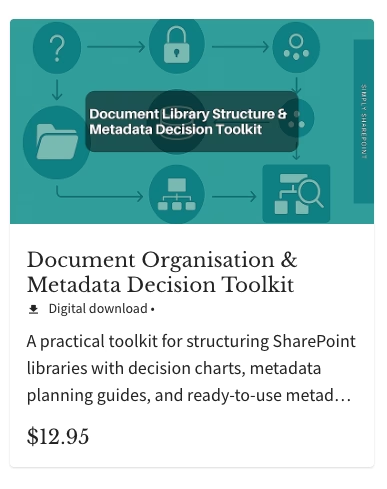
If you are just getting started with planning your SharePoint structure and metadata, I have created a straightforward guide to help.
The Document Organisation & Metadata Decision Toolkit includes two simple decision trees to guide your choices as well as samples of different metadata terms for some of the main functions within your organisation.
It is designed to give you a clear starting point without overwhelming you with technical jargon.
Final Thoughts
Planning metadata in SharePoint does not have to be difficult. It is about thinking ahead, keeping things simple, and shifting your mindset from "Where is it?" to "What is it?